Features · Chat
From a new Chat, open More suggestions to browse ready-made prompts by category — drafts, briefings, people, reflection, and more.
A new Chat shows a few suggestions under the prompt box. Select More suggestions to browse the rest. Send one as written or adapt it to what you need.
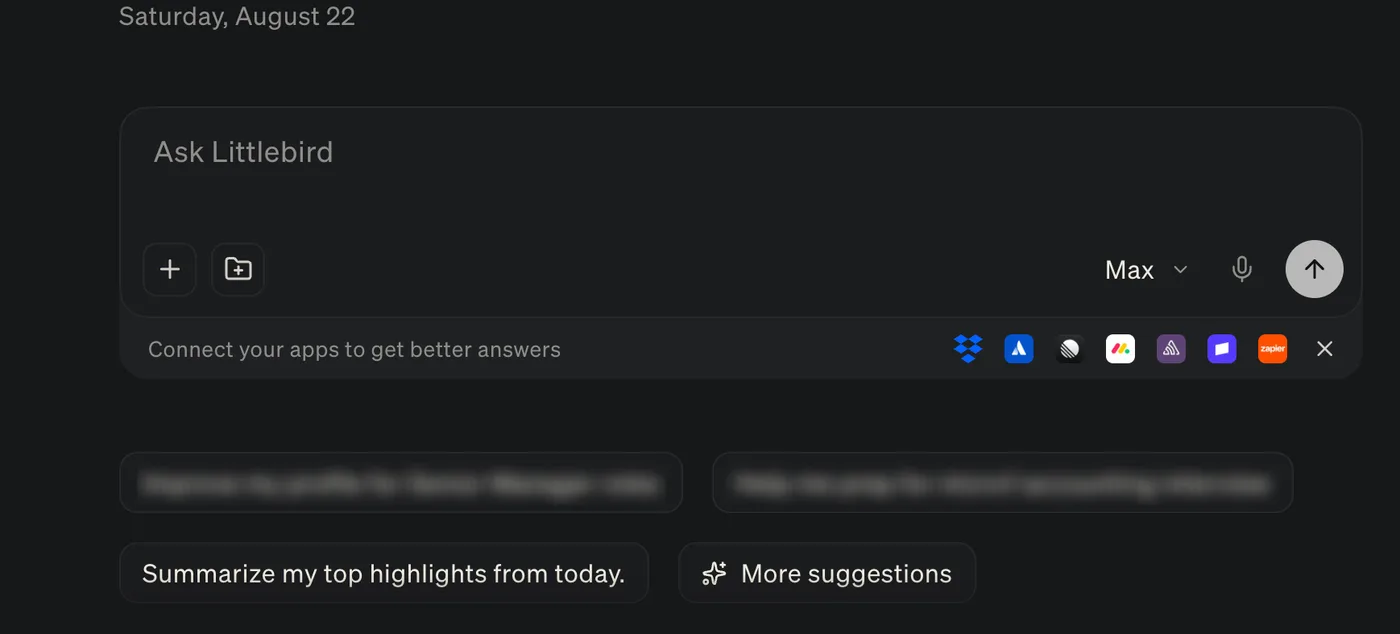
Open More suggestions
-
Open a new Chat, then select More suggestions under the prompt box.
The Suggestions window opens with All selected.
-
Choose a category, search, then select a prompt.
Categories are Reflect, Briefings, Drafts, Actions, People, and Life.
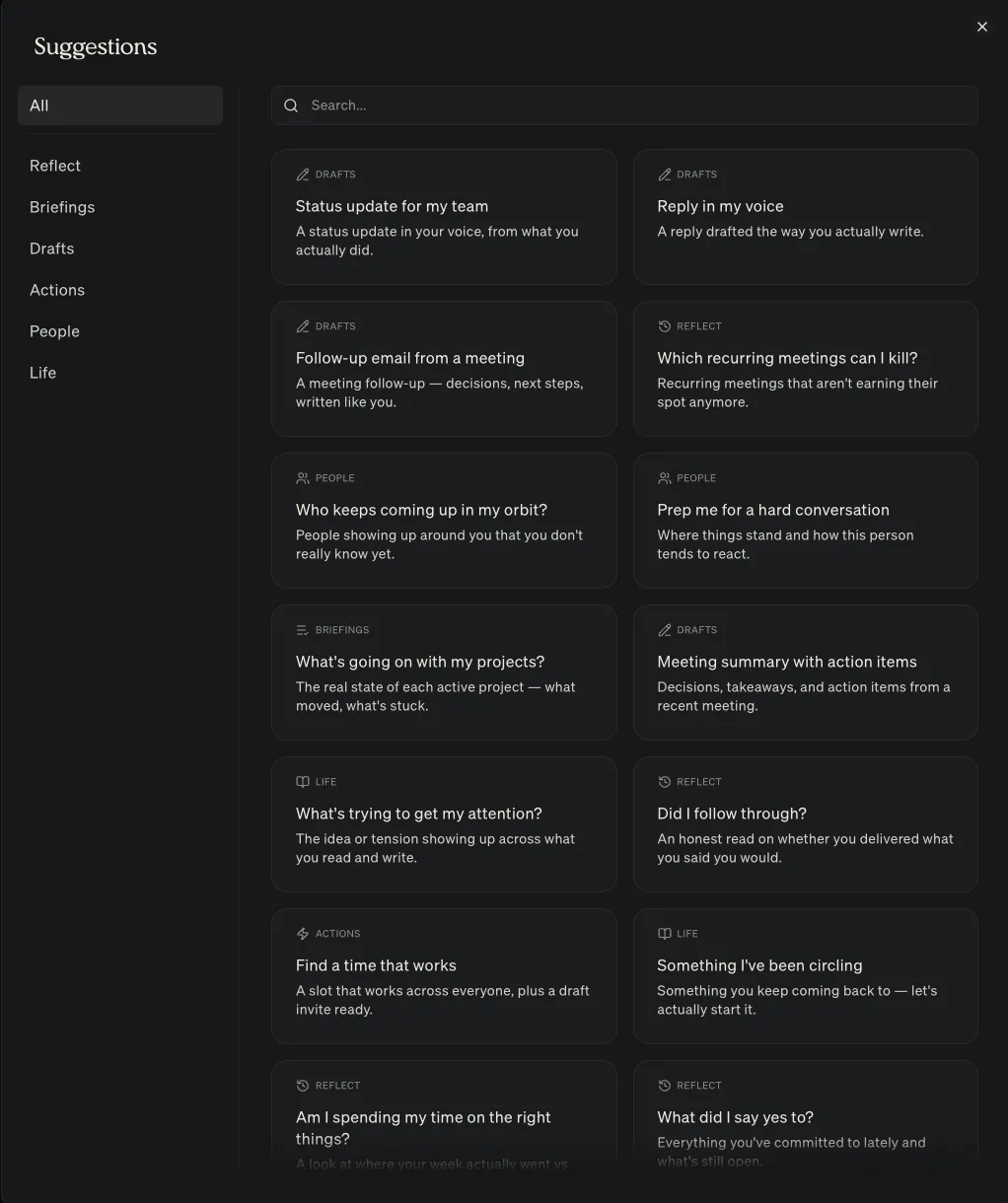
Examples include:
- Which recurring meetings can I kill?
- Prep me for a hard conversation
- Follow-up email from a meeting
- Status update for my team
- What’s going on with my projects?