DocsLearnChangelog
Ask the bird

What’s new

Taking flight

New features, thoughtful improvements, and fixes from across Littlebird. A fresh dispatch lands every Friday.

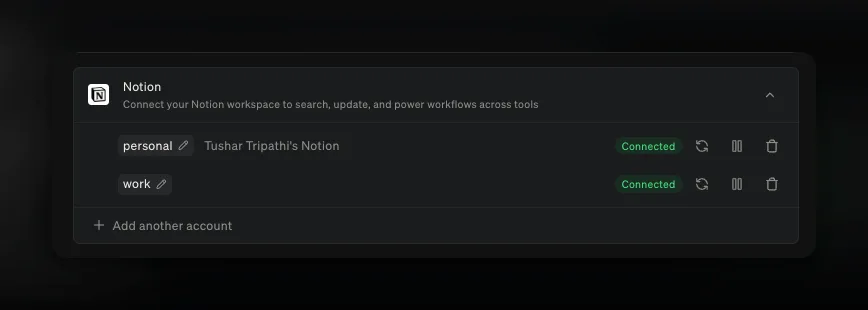
You can connect several accounts of the same integration, so your work and your personal life do not have to share one connection. Add two Gmail inboxes, both of your calendars, a second Slack workspace, or two Notion or Linear workspaces, then ask for the one you mean: “check my work inbox for anything from the Acme team”.

Open Settings → Integrations, choose an integration, and select Add another account. Littlebird names each one from the account you signed in with — the Notion workspace, the Slack team, the email address — and uses that name when it decides where a request should go. Rename any of them with the pencil beside the name. Each account keeps its own controls, so you can pause, remove, or reconnect one without touching the others.

#8013#9056#9097#7870#9191#9369

Tag an app with @

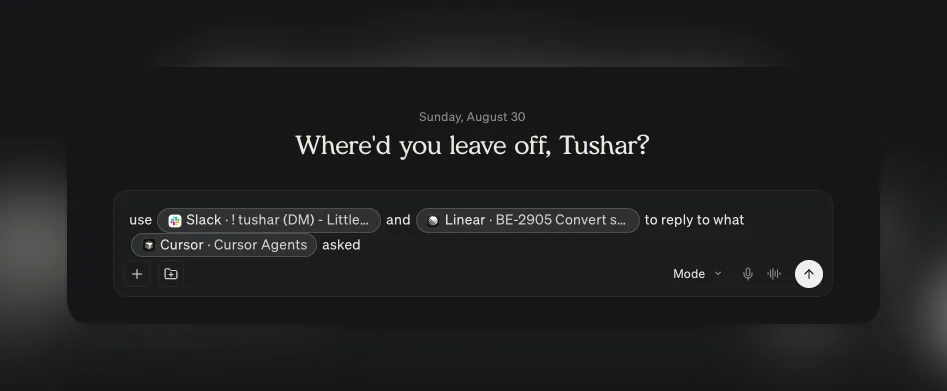
Type @ in the composer and choose a window, and Littlebird reads it for that message. The menu lists what you have open with each window’s title beside the app, so you are handing over the tab or the file you mean rather than the app in general.

It is at its best when the thing you need help with is already in front of you. Tag your browser on a long article and ask whether it changes anything for your plan. Tag your editor and ask for the pull request description. Tag a spreadsheet and ask for three lines you can say out loud on a call. Tag Slack and ask for a reply that pushes the date a week without sounding like it.

Name two and Littlebird holds them side by side — your design file and the spec it came from, and the question of which one is now out of date.

Apps you have excluded from context sit in their own Attach an excluded app section. A mention is a one-off share rather than a standing permission, so you can hand over one window once without letting Littlebird watch that app at all. Hummingbird takes @ too. Available on macOS.

#9799#9664#9619#9661

Send the summary to the attendees

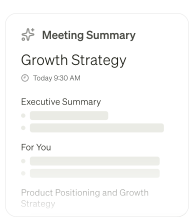
A meeting summary is written for you. It carries a private For you section and phrasing that only makes sense to whoever took the notes, so forwarding one has never been a good idea.

Send to attendees rewrites it for other readers. Littlebird drops your private section, recasts the summary for a group, and opens an email draft addressed to the other people on the invite.

Nothing sends on its own. Read the draft, change what you want, and send it from your own connected Gmail account, so replies come back to you rather than to Littlebird.

#9357#9464#9489#9598
Improvements
  • Integrations

    Zoho CRM is in Add integrations.

    #8822
  • Integrations

    Improved how Littlebird uses your connected integrations, so it checks your email, calendar, Slack, or ticket tracker for an answer instead of relying on what happens to be on your screen.

    #9654
  • Artifacts

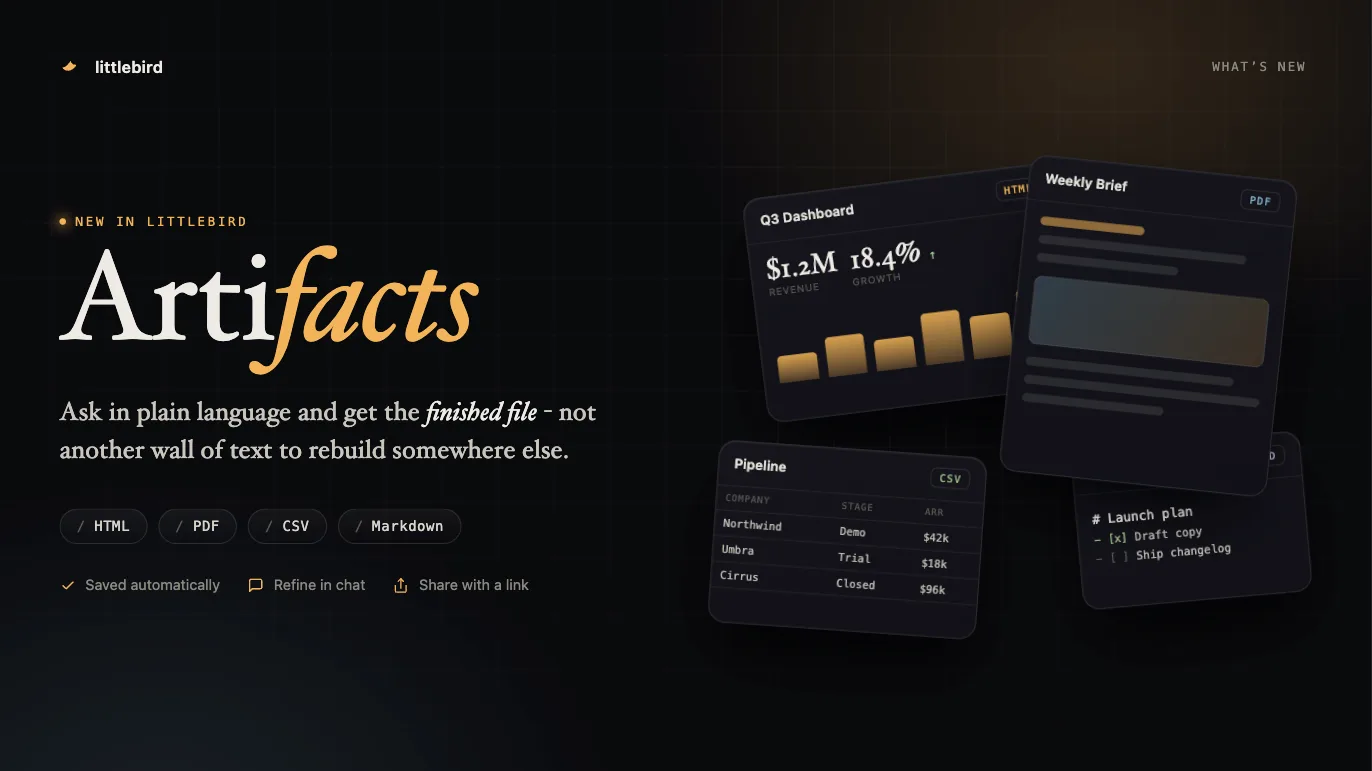
    Everything Littlebird builds for you gathers on the Artifacts page. Search by the artifact’s name or by the chat it came from, filter by type, switch between a grid and a list, and open, refine, download, share, or delete any of them from its menu.

    #9738#9590#9761#9763
  • Artifacts

    A markdown artifact has a copy button in its side panel that puts the whole document on your clipboard, and the Artifacts page notes that building one can use more of your monthly usage than an ordinary chat.

    #9612#9685
  • Command bar

    Settings has a search box that finds a setting across every section and jumps to the exact row, typos included. It reaches your connected accounts, MCP servers, keyboard shortcuts, and archived chats, and individual settings turn up in the command bar.

    #9587#9599#9603
  • Hummingbird

    Ctrl+E moves the Hummingbird conversation you are in into the main window, without opening the actions menu.

    #9783
  • Hummingbird

    The Hummingbird overlay has a larger area to drag by, its composer has more room, and each item in the rail can remove its own chat.

    #9715#9691
  • Meeting

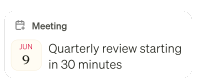
    Meeting notifications are more compact, and the logo on one is the app you are actually about to join — Zoom, Teams, or Meet — rather than a guess from the event name.

    #9703
  • Routines

    Search finds what your Routines produced. A matching run appears under a Routines heading and opens the Routine rather than a chat, and Routine runs stay out of your chat list.

    #9564
  • Chat

    The artifact panel can no longer squeeze a chat down to nothing. Chat keeps a minimum width, and side panels float over it when the window is narrow.

    #9588
  • Usage

    Invite links are shorter, you can copy the link itself rather than only the code, and the share text is written for the place you are posting it. Let Littlebird write it opens a chat that drafts the invite from how you actually use Littlebird.

    #9584#9589
  • Mobile

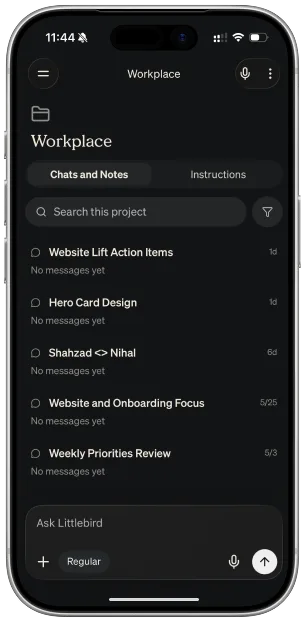
    A new-chat button sits in the chat header, so starting one no longer means opening the drawer.

    #9719
  • Mobile

    Tapping the Littlebird wordmark at the top of the drawer takes you home.

    #9605
  • Mobile

    You can edit a Routine’s instructions from the phone, not only its name, schedule, and notifications.

    #9651
Fixes
  • Chat

    Fixed the view jumping upward for a moment when you send a message in a long chat.

    #9636
  • Chat

    Fixed a project showing none of its chat history.

    #9810
  • Chat

    Fixed images attached to a shared chat failing to load for the people you shared it with.

    #9746
  • Chat

    Fixed a generic error appearing when you stop a reply and immediately start another.

    #9784
  • Chat

    Fixed a reply failing when it produced an image partway through the answer.

    #9692
  • Chat

    Fixed an answer looking as though it were missing when the reply ended by writing a to-do list.

    #9786
  • Chat

    Fixed a subagent’s activity being listed twice while Littlebird was working.

    #9694
  • Artifacts

    Fixed a long answer losing the file it had already built, or handing it over twice.

    #9855#9829
  • Artifacts

    Fixed a report running edge to edge, and overshooting its own layout, in a full-screen artifact panel.

    #9634
  • Hummingbird

    Fixed pressing Enter while Littlebird was still working sending a second message into the same turn.

    #9596#9789
  • Hummingbird

    Fixed Hummingbird missing a reply that finished while its window was hidden.

    #9779
  • Hummingbird

    Fixed a chat started from Hummingbird losing the project you were in.

    #9668
  • Hummingbird

    Esc closes the Hummingbird window rather than starting a new chat, and the window closes again when you click outside it.

    #9754#9625
  • Hummingbird

    Fixed the macOS login window being offered as context.

    #9660
  • Meeting

    Fixed a meeting-prep notification not opening the prep it was announcing.

    #9704
  • Meeting

    Fixed the expanded composer not appearing when you start a chat from Meeting Notes.

    #9760
  • Meeting

    Fixed a long meeting name failing to save.

    #9693
  • Meeting

    Fixed the menu bar calendar returning after you turned it off.

    #9585
  • Meeting

    Fixed duplicate requests to remove a calendar event.

    #9752
  • Routines

    Fixed opening a Routine from the sidebar showing the run you read last rather than the newest one.

    #9642
  • Routines

    Fixed a long Routine title failing to save.

    #9702
  • Routines

    Fixed a report card giving up before its report was ready.

    #9641
  • macOS

    Fixed Littlebird asking you to turn on Google Docs screen reader support when it was already on.

    #9689
  • Mobile

    Fixed the Usage screen counting your monthly allowance as credit you had bought.

    #9676
  • Mobile

    Fixed the composer covering the last chat or note on a project screen.

    #9606
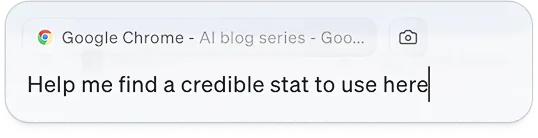
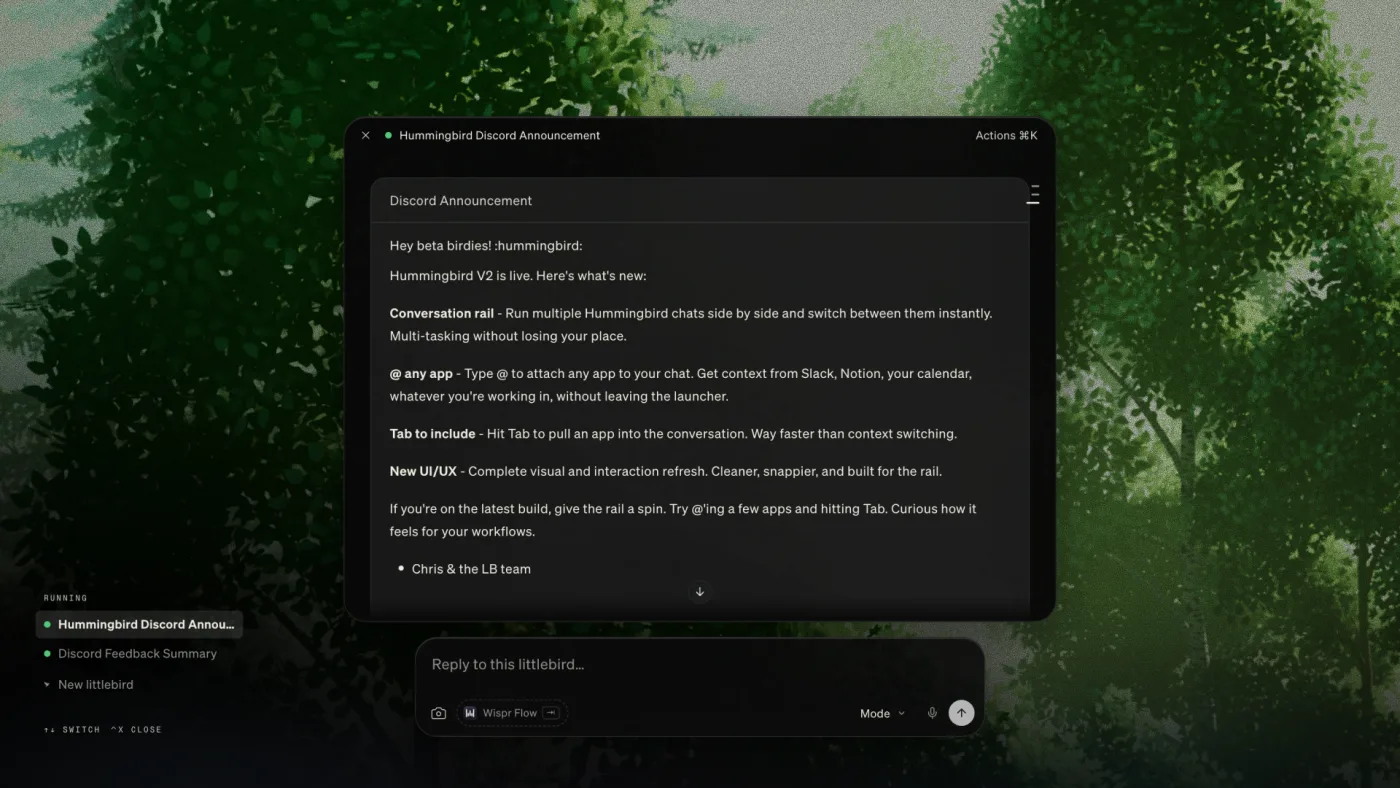
Hummingbird open over a browser article, with Google Chrome already attached

Hummingbird opens as overlay, so you can ask for help without leaving the work behind. It has situational awareness about your windows, ongoing meetings and everything else Littlebird knows.

We’ve redesigned the experience to run multiple conversations simultaneously with a new conversation rail. You can also type @ to bring in another window, and move between chats with keyboard shortcuts without ever opening the Littlebird app. Ask about the email, the spreadsheet, or the page in front of you without attaching it first. You can take a screenshot from the overlay and auto attach.

#7456#9262#9354#9454

Attachments in Routine emails

Routine emails carry the whole report now. When a Routine built its report as a document, the email announced it without including it, so there was nothing to read until you opened the app. The report is now in the body of the email, and any PDF it produced comes attached. You can also reply to the email to continue the conversation without opening the app.

#9366#9394#9450#9525#9528
Improvements
  • Meeting

    When Littlebird finishes meeting prep or a meeting summary, it emails you the result. Turn either off in Settings → Meetings, or use the unsubscribe link in the email.

    #9007#9086#9324#9353#9389#9464
  • Meeting

    The floating widget has a composer while a meeting is recording, so you can ask about it without leaving the call. The answer lands in that meeting’s chat.

    #9329#9535
  • Meeting

    Meeting summaries are more accurate and miss fewer details.

    #9477#9515
  • Meeting

    You can now refresh your calendar yourself from the Meetings view or the upcoming-meetings widget, if the events appear out of sync.

    #9352
  • Meeting

    Zoom and Teams join buttons open the app directly, skipping the browser page that asks whether to open it.

    #9217
  • Meeting

    Adding a meeting note to a project is a chip on the note itself, with a searchable picker, rather than an item in a hover menu.

    #9207
  • Gmail

    The email draft card in Chat has been redesigned, and several things that went wrong in it are fixed: keyboard focus could get stuck in the recipient fields, collapsing Cc and Bcc hid recipients that were still sent, and Cancel threw away your edits without saying so.

    #9179
  • Gmail

    You can now ask Chat about a PDF, RTF, or plain-text file attached to an email.

    #9537
  • Integrations

    One toggle collapses or expands every integration at once, and a collapsed integration summarizes its accounts — “2 Connected”, “1 Expired” — instead of showing nothing.

    #9367
  • Integrations

    The Add integrations window scrolls through every category in one pass, with the sidebar marking where you are.

    #9373
  • Integrations

    A connected account you have not named is called “Primary Account”, and a pencil next to the name lets you rename it.

    #9191#9369
  • Chat

    You can choose which project a message belongs to from the composer itself.

    #9418
  • Chat

    Chats with a lot of images and generated files in them stay fast — files you have viewed no longer accumulate in memory, and attachments load when you open them rather than when you scroll past.

    #9346#9424
  • Chat

    A link inside a report you have already trusted opens without asking you to confirm again.

    #9377
  • Routines

    A Routine you asked Littlebird to create appears in your list straight away instead of after the next refresh.

    #9508#9519
  • Routines

    A Routine that Littlebird paused explains why, and resuming one you paused yourself no longer asks you to confirm.

    #9128
  • Routines

    Routine emails have an unsubscribe link that turns off email for that Routine.

    #9389
  • macOS

    Sidebar section headings stay in view as you scroll, so you can tell where you are in a long list.

    #9269
  • macOS

    Dictation runs to twenty minutes, and reaching the limit transcribes what you said rather than discarding it.

    #9160
  • macOS

    You can copy your referral link straight from the share dialog.

    #7168
  • Android

    Select text in any app, choose Ask Littlebird, and it opens a new chat with that text already in the composer.

    #9345
  • Mobile

    Your meetings appear the moment you open Meeting Notes, instead of after a loading screen.

    #9328
  • Mobile

    Signing up with Apple or Google fills in your name, rather than asking for something you already gave.

    #9432
Fixes
  • Chat

    A reply being written no longer dies when your connection drops for a moment.

    #9273
  • Chat

    A chat no longer renders half-loaded after a refresh.

    #9307
  • Chat

    Send a message on one device and your other devices show the chat as thinking, instead of looking stalled.

    #9405
  • Chat

    The web app no longer offers Open in tab, which only works on the desktop app.

    #9215
  • Meeting

    Fixed a spurious “Unable to start recording” when a recording was already running.

    #9563
  • Meeting

    Stopping a meeting from the widget or the sidebar no longer leaves you with a finished meeting, no summary, and nothing telling you one is coming.

    #9572
  • Meeting

    A meeting transcript reads as separate lines rather than one block of text.

    #9356
  • Meeting

    The spoken-language list in Settings → Meetings scrolls with your trackpad or mouse wheel.

    #8522#9435
  • Hummingbird

    Hummingbird can read a browser window even when the address bar is focused.

    #9239
  • Hummingbird

    Undo in the Hummingbird composer works with Cmd+Z.

    #9466
  • Routines

    A report notification opens the report it was about, not the previous day’s.

    #9514
  • Routines

    Deleting a Routine removes the chats it created instead of leaving them in your history.

    #9336
  • Gmail

    Editing a draft keeps it attached to its thread, so your reply does not go out as a separate message.

    #9595
  • Gmail

    Littlebird uses your one connected email account instead of failing when it does not name which account to send from.

    #9360
  • MCP

    A chat no longer hangs indefinitely when an MCP server accepts a request and never answers.

    #9379
  • Mobile

    If your device cannot unlock its saved session, Littlebird says so instead of quietly returning you to the login screen.

    #8890
  • Mobile

    Fixed an error screen appearing while Littlebird updated its notes mid-reply.

    #9512
  • Mobile

    Avatar initials handle names like “Meg St. Clair” correctly.

    #9333
  • iOS

    Swiping in from the left edge goes back instead of opening the sidebar.

    #9361

A Routine report used to land in your inbox and stop there. Now you can answer it. Reply to the email and Littlebird picks up the same chat that wrote the report — ask “which of these actually needs me today?” or “draft a reply to the second one” without leaving your inbox. The answer comes back in the same email thread.

The email reads like a note from Littlebird now, too: a subject line that says what the report is about, the report’s opening as your inbox preview, and an Open in Littlebird button that takes you to that report rather than the most recent one.

#8998#9105#9165#9216#9311#9321

Improved meeting prep

Meeting prep now takes your connected integrations into account, alongside your screen context and web search.

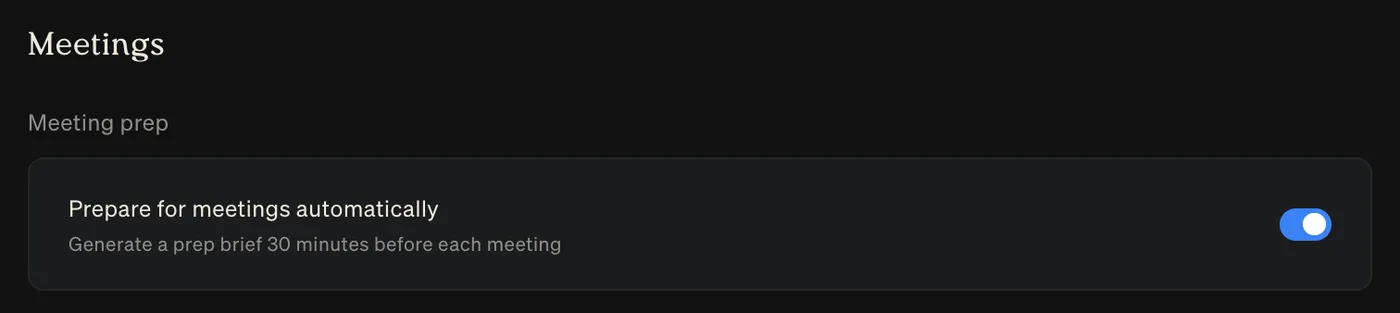
You can also switch on automatic meeting prep in Settings → Meetings to get a brief before each meeting starts.

#8823#9026

Artifacts now open on your phone

PDFs, spreadsheets, and documents Littlebird makes for you open inside the mobile app. Until now the app showed a download card and handed the file to another app. You can page through a long PDF, read a table without exporting it, and share or download it from the same screen.

#9002

Write and send email from your phone

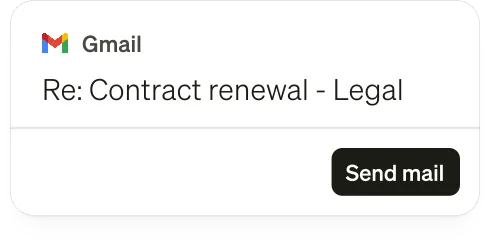
Ask Littlebird for a reply and the draft appears in the chat with the recipient and subject filled in. Tap Edit to change the subject or body, then Send, and it goes out through Gmail. Mobile now matches what the desktop app could already do.

#9020
Improvements
  • Routines

    A routine’s chat is named after what that run was about, so you can find last Tuesday’s briefing in your history instead of scrolling through identical titles.

    #9094
  • Artifacts

    PDFs Littlebird makes for you are laid out properly — page breaks land where they should and a long table repeats its headings on every page. They arrive faster, too.

    #9175
  • Usage

    When you run out of credits, the composer says so instead of being replaced by an upgrade prompt.

    #9104
  • Hummingbird

    A Hummingbird thread shows which project it belongs to, and you can remove it from the project.

    #9163
  • Hummingbird

    The privacy notice is clearer about what Hummingbird sees when you ask it to look at your screen, including apps you have excluded in Privacy Controls.

    #9155
  • Chat

    A new chat greets you according to the time of day.

    #9066
  • macOS

    Collapsible sidebar sections open and close more smoothly, and the toggle uses distinct icons so you can tell at a glance which way it goes.

    #9120#9142
  • Mobile

    You can now delete your account from the app.

    #8990
  • Mobile

    If syncing keeps failing, your home screen tells you and offers a Retry, rather than quietly going stale.

    #8277
  • iOS

    The iPhone app works in landscape, which helps with wide content like tables and diagrams in Chat.

    #8778
  • Android

    Overflow and context menus show icons, matching iOS.

    #9014
Fixes
  • macOS

    Dictation no longer fails after five minutes.

    #9141
  • Chat

    A chat with a lot of messages in it no longer freezes or crashes when you open it.

    #9156
  • Chat

    Opening the same chat on another device no longer interrupts the one you were already using.

    #9233#9316
  • Chat

    Stopping a reply and immediately sending another no longer ends in “Apologies, I got an error trying to compose a reply.”

    #8953
  • Artifacts

    A file Littlebird built for you no longer silently fails to arrive — you get the file, or Littlebird tells you it could not make it.

    #9264#9265#9278
  • Artifacts

    Files Littlebird builds are dated in your timezone, so “today” means your today.

    #9174
  • Usage

    Buying credits works when Stripe Link is your payment method.

    #9180
  • Projects

    Uploading several files whose names begin the same way no longer leaves you with only the last one — long names were being shortened to the same name and overwriting each other.

    #9161
  • Projects

    Project uploads accept files up to the real 30 MB limit, rather than stopping at 20 MB.

    #9162
  • Hummingbird

    A long list of Hummingbird threads scrolls instead of running off the window.

    #9112
  • macOS

    Fixed support links in the app.

    #9164
  • Mobile

    A bad connection shows an error page instead of a blank screen.

    #9247
  • Mobile

    Backing out of a Google or Apple sign-in no longer looks like something went wrong.

    #9246
  • Mobile

    Fixed shared chat links opening the wrong screen.

    #9124
  • Mobile

    Littlebird no longer hangs on the loading screen when your phone was locked while it started.

    #8889
  • iOS

    Read aloud plays even when your ring switch is set to silent.

    #9186
  • Android

    The composer bar stays put instead of jumping as you move between states.

    #9103

Setting up a Routine no longer means filling in a form. Describe it in Chat — “turn this into a weekday morning briefing at 8:30” — and Littlebird creates it. You can change the prompt, schedule, or notifications on a Routine you already have the same way, and ask what one is set to before you change anything. Here is a prompt to get you started -

#8853#8911

Report a bug by asking

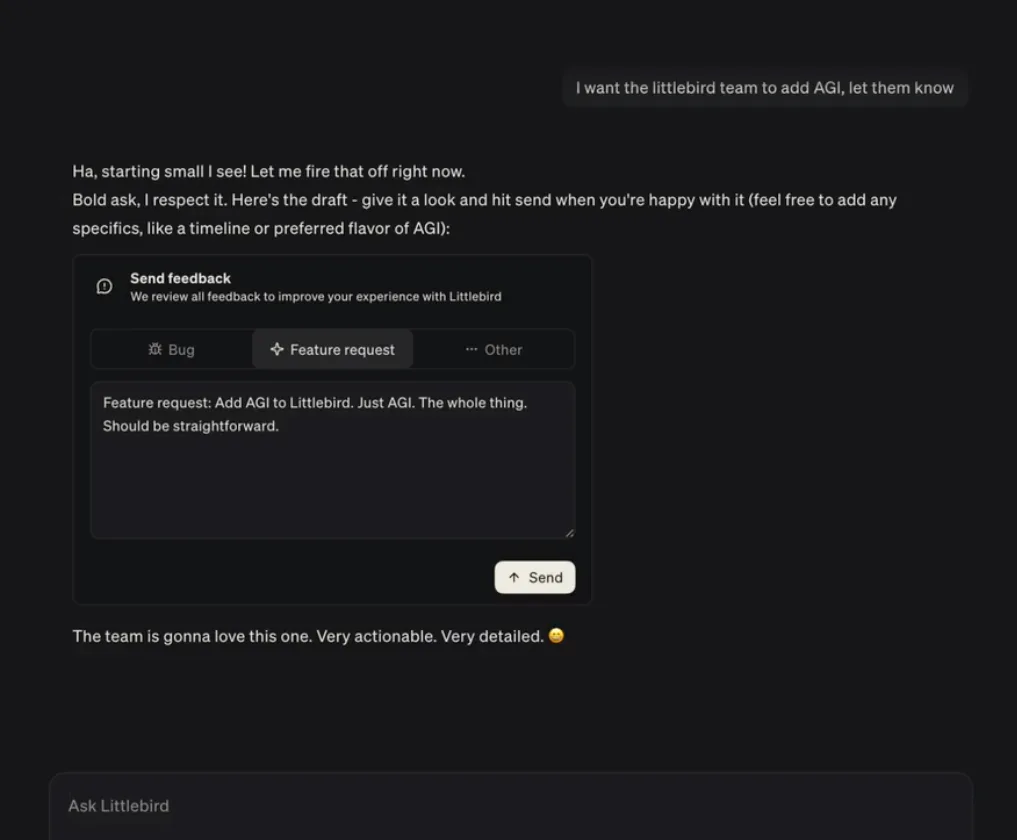
A chat where the user asks Littlebird to pass a request to the team, and Littlebird returns a drafted feature request ready to send

Something broken, or an answer that missed the mark? Say so in Chat — “report a bug: my meeting notes did not sync this morning” — and Littlebird drafts the report for you. Read it over, send it, and carry on. It works the same way for a feature you wish existed, or an answer worth flagging as poor.

#9062

Your call on meeting prep and recording

Auto meeting prep

You can now enable automatic meeting prep in Settings → Meetings, and get your meeting prep 30 minutes before the meeting starts.

You can also turn on automatic recording, so you do not have to remember to start recording every time. It’s also possible to exclude apps from being recorded automatically.

#8823#8848

Have it read to you

On mobile, Littlebird can read things out loud so you can listen with your phone in your pocket. In Chat, tap the play button on a finished reply. In routine reports and meeting notes, choose Read aloud from the top-right menu — for a meeting it reads whichever tab you are on, whether that is the summary, the transcript, or your own notes. Tap again to stop.

#6568
Improvements
  • Meeting

    The chat composer now sits at the bottom of the meetings list, so you can ask about several meetings at once without opening a single note. A history menu keeps recent conversations from that page grouped by day, and the panel remembers whether you prefer it docked or floating.

    #8408#9005
  • Integrations

    Connected accounts have their own controls in Settings → Integrations. Pause, remove, or reconnect one without touching the others, and a Disabled badge shows when one is switched off.

    #7870
  • Chat

    Attach a PDF and you can open it in a preview to check the right file before you send it.

    #8878
  • Artifacts

    You can download an artifact straight from its full view instead of going back to the chat it came from.

    #8907
  • Teams

    Every member of a team can now open team analytics from the profile menu, not just admins. The Usage tab is called Analytics.

    #9061
  • Usage

    The usage bar is simpler, you can reach it from the profile menu, and it now breaks your usage down by chat mode.

    #9061
  • Meeting

    In a project chat, questions about meetings follow the project’s awareness setting, so Littlebird searches only that project’s meeting notes when you have limited it to them.

    #8768#8769
  • Meeting

    After you stop a recording yourself, Littlebird points out the Generate summary button so it is easier to find.

    #9027
  • Meeting

    The Meeting Notes list shows a single, clearer empty state, with a way to connect a calendar when you have not connected one.

    #8991
  • Mobile

    You can add a chat to a project from the mobile composer.

    #8631
  • macOS

    If Littlebird cannot update itself — because it is running from the disk image or somewhere it cannot write — it now explains why and offers to move itself to Applications, instead of asking for your password every fifteen minutes.

    #8892
  • Chat

    Every chat mode shows a description, and their keyboard shortcuts stay visible and aligned in the menu.

    #8979#8995#8997
  • Hummingbird

    Mentioning an app is tidier: no duplicated window and app names, no stray spacing when you select the text, and less clutter when you mention several apps.

    #8867
Fixes
  • macOS

    Fixed Littlebird signing you out after your Mac has been asleep.

    #8980
  • Meeting

    A meeting summary that had already been written no longer disappears from the app while it is being regenerated.

    #9013
  • Meeting

    Asking about a meeting no longer sends Littlebird round in circles when it calls a meeting tool the wrong way.

    #8601
  • Meeting

    Automatic meeting detection recognises an app that was already running when Littlebird started.

    #7767
  • Meeting

    Transcripts from a mobile recording upload reliably, including recordings that are mostly silence.

    #8289
  • Routines

    Opening a chat from a routine report works again if you are on an older version of the app.

    #8985
  • Routines

    The Routines and reports screens show a loading state instead of looking empty while they load.

    #8537
  • Artifacts

    An artifact card no longer goes missing from a chat when the file behind it takes a while to arrive.

    #8952
  • Chat

    Stopping a reply mid tool call no longer crashes the chat.

    #8981
  • Chat

    Images you send more than once in a conversation are no longer dropped from it.

    #9009#9084
  • Chat

    Your chats are no longer empty after Littlebird rebuilds its local copy of them.

    #8712
  • Chat

    Messages no longer flash into place as a chat opens, the placeholder stays put in the collapsed composer, and spacing around your own messages is even.

    #8984#8999#9001#9008#9023#9029
  • Hummingbird

    The Hummingbird shortcut works with Caps Lock on, the composer takes focus when the window appears, clicks pass through again after you close a thread, and the window keeps its size when you reopen it on a second monitor.

    #8863#8866#8870#8871
  • Hummingbird

    The mouse keeps working after you open an action menu, and long conversations no longer jump to the top on their own.

    #8918#8921#8945
  • Integrations

    A connection you abandoned partway no longer sits at Pending forever with no way to remove or retry it.

    #7869
  • Integrations

    Choosing a calendar issue type uses a proper menu, and text in connection dialogs is aligned.

    #9033#9036
  • MCP

    Mem0 completes sign-in instead of failing during registration.

    #9065
  • iOS

    Images upload reliably, and an upload that stalls gives up and tells you rather than hanging.

    #8972#9003
  • iOS

    Starting dictation stops music playing through AirPods instead of leaving it running behind you.

    #8904
  • iOS

    Signing in no longer drops you back out when a token refresh is interrupted.

    #8349
  • Mobile

    The sign-in screen no longer flickers between the email and code steps, and it stays put if a code fails.

    #8801#8954#8955
  • Mobile

    Images you attached appear when you come back to a chat, and long threads use less memory and scroll more smoothly.

    #8671#8775#8829#8830#8854
  • Android

    Opening a chat connects faster after the app has been in the background.

    #6347
  • Android

    The Favourites and Recents headings in the sidebar are no longer tappable as though they were chats.

    #8799
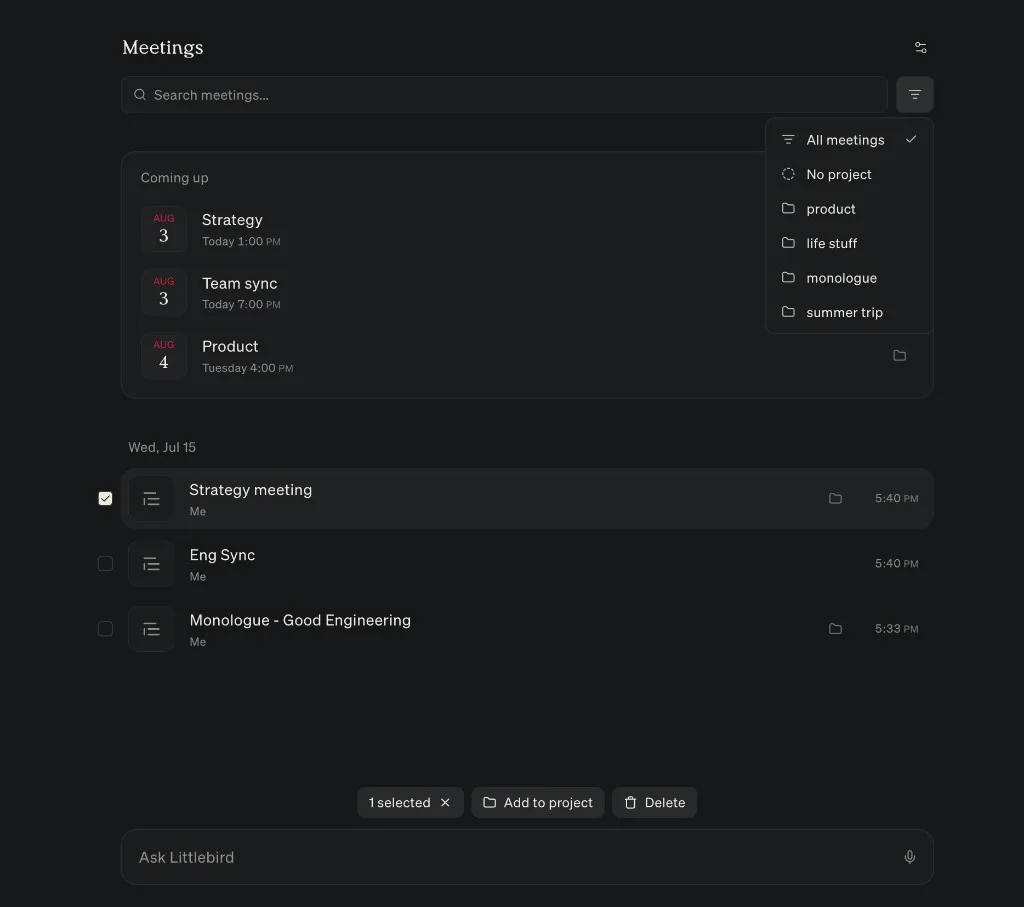
The Meetings list with its filter menu open to show project options, and a meeting selected for adding to a project

Meeting Notes are easier to organize: filter the list by project to focus on one stream of work, select several notes at once to batch delete or move them to a project. You can also add an upcoming event to a project — and for a recurring event, all of its meeting notes become part of the project. Meeting summaries now follow your Project Instructions, too.

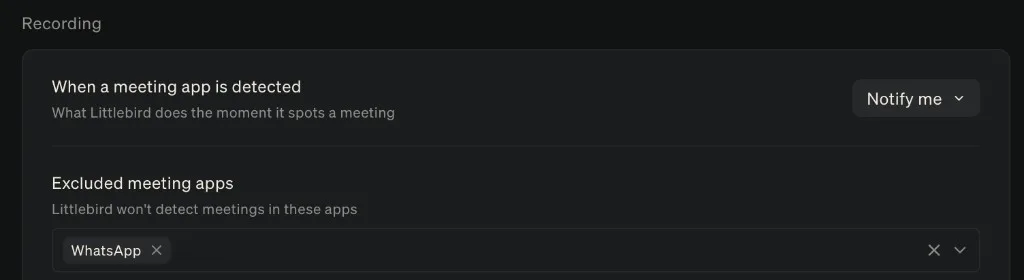
In Settings, you can now choose which apps Littlebird should ignore for automatic meeting detection.

The Recording settings, with WhatsApp added to the list of apps excluded from automatic meeting detection

On Mac, transcription quality is significantly improved. If a recording is interrupted, it recovers in the background instead of being lost, and live transcripts animate more smoothly as words arrive and settle into their final form.

Larger tables in your prep notes are easier to manage: open one in a full data grid to edit cells or add and rearrange rows and columns.

Send email without leaving Littlebird

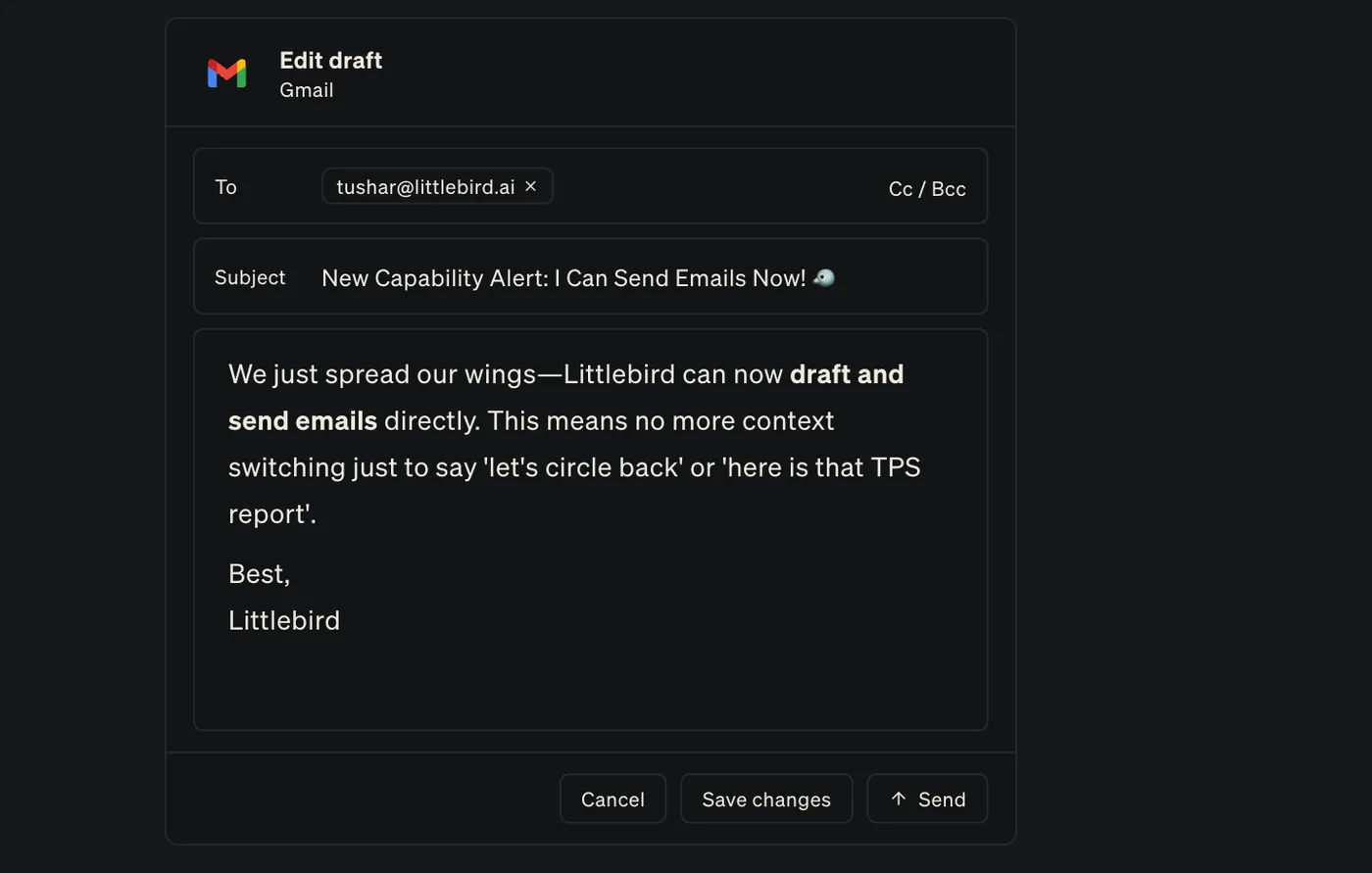
The send card open over a chat, with a drafted email ready to review, format, and send

When Littlebird drafts an email, you can now revise and format it directly in the send card before you approve it — no need to move the draft anywhere else.

Find and organize your chats

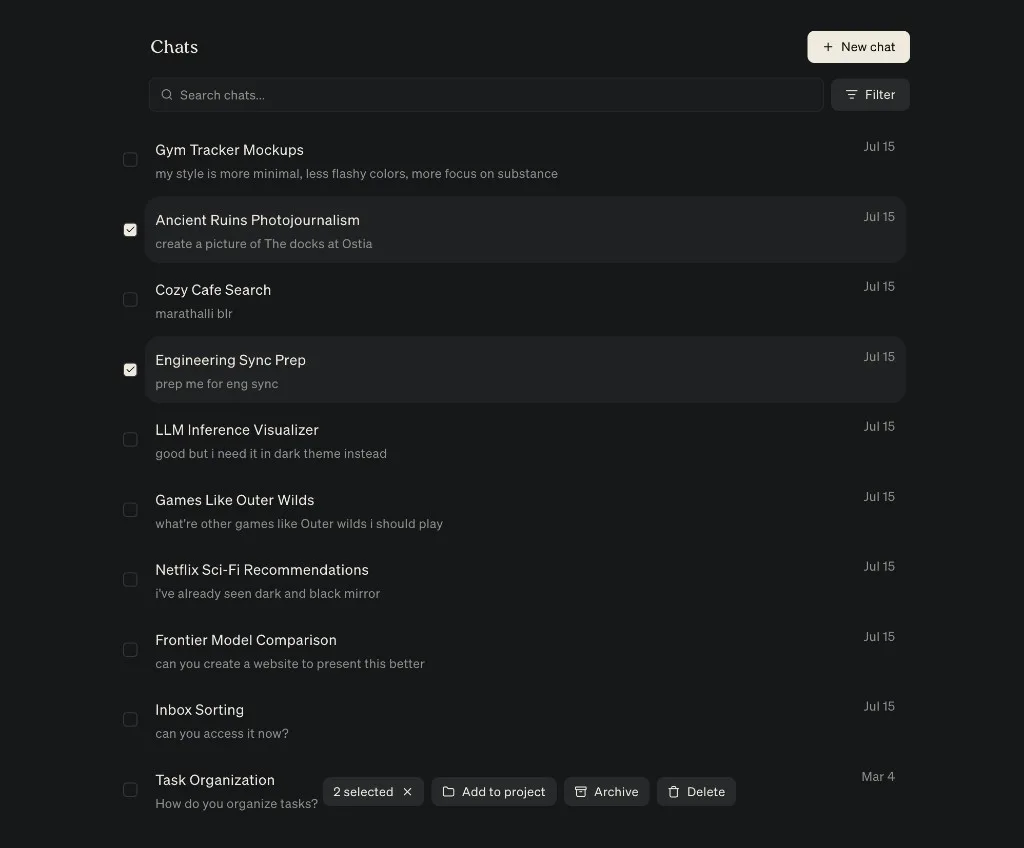
The full Chats view shows a preview of every conversation, with search and filters to narrow the list. Select several chats at once to add them to a project, archive them, or delete them. See how to manage your chats.

The Chats view listing conversations with previews, two selected, and quick actions to add to a project, archive, or delete

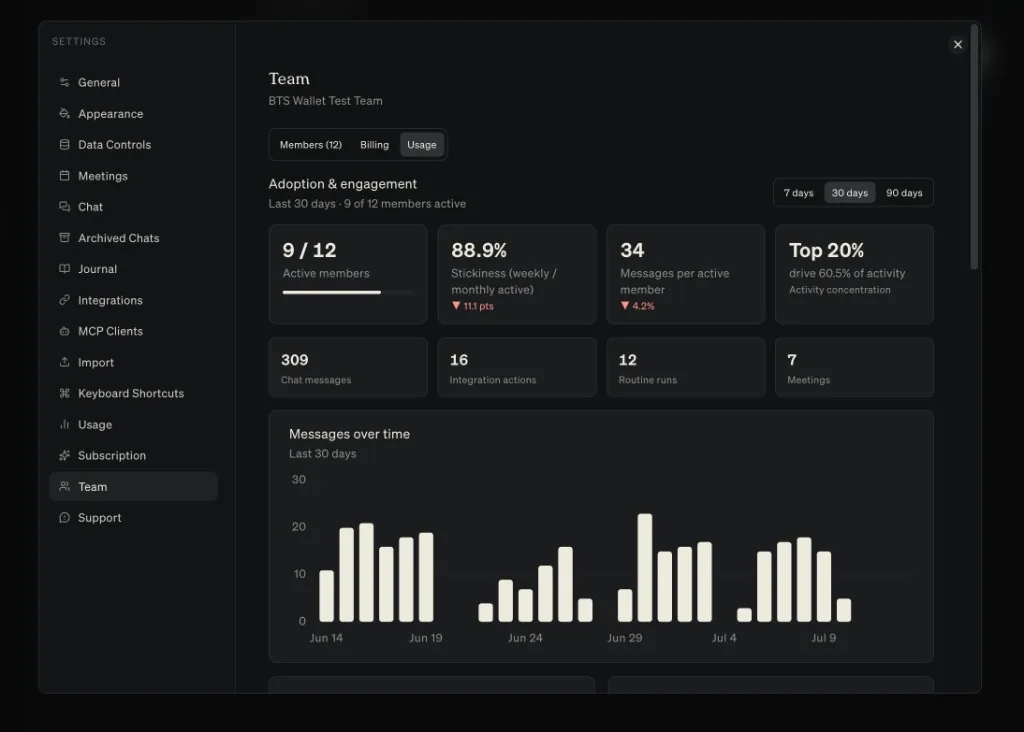
See how your team uses Littlebird

The Team settings Usage tab, showing adoption and engagement numbers with a messages-over-time chart for the last 30 days

Team admins can now see how Littlebird is landing across the team: adoption and engagement, messages over time, feature use and top integrations. Find it in Settings → Team → Analytics.

Improvements
  • HummingbirdBeta

    You can now keep several Hummingbird conversations going at once, move between them from a new rail, and attach context from several app windows with @.

  • Meeting

    Chat can find the right meeting notes more reliably when you ask about a past call.

  • Meeting

    Meeting Prep gives more weight to your connected integrations when it builds an agenda and talking points.

  • Meeting

    During a live call, you can collapse Meeting Prep without losing it. After the call, dismiss it or reopen it from the meeting menu.

  • Meeting

    The Granola import screen now supports drag and drop, lets you review a CSV before importing it, and explains where to find your Granola export.

  • Meeting

    When you stop a recording yourself, you can review the transcript before you choose Generate summary.

  • Routines

    Chat can answer questions about past Routine outputs, and a Routine can refer back to its own or another Routine’s previous reports.

  • Chat

    If a file upload fails in Chat, tap the attachment to retry it without choosing the file again.

  • Android

    Context collection setup now explains what the Accessibility Service reads and why, with one control to start or pause collection.

  • Integrations

    If browser sign-in for an MCP server gets stuck, you can switch to an API key. Servers that use Basic authentication can also accept an email or username.

  • Integrations

    Canva is available again in Add Integrations. iMessage and WhatsApp now have clearer connection and status screens, and Channel settings load faster with a clear way to retry a failed read.

  • Outlook

    Organizations connecting Outlook now see a clear confirmation page after an admin grants access instead of landing on an error.

  • Context

    Littlebird can capture context more reliably from the latest ChatGPT and Claude apps, including Work, Codex, and Claude Code views, as well as Antigravity and Spark Classic.

  • macOS

    Setup now uses short animations to preview accessibility, Integrations, Meeting Notes, and Hummingbird before you enable them.

  • Artifacts

    Artifact links now open correctly, Command-click opens an artifact in a new tab, and new artifacts show a progress card while they load.

  • Chat

    Repeated tool calls now collapse into one reasoning step, making longer answers easier to follow.

  • Chat

    Past conversations load faster as Littlebird refreshes your chat history.

  • Projects

    The project picker uses the full row, shows which projects are starred, and keeps them at the top.

  • Usage

    You’ll now see a warning when monthly usage is being spent faster than usual.

  • Routines

    Pause emails include a direct link to resume a Routine, active Routines stay at the top while the list refreshes, and recommendations explain when you have reached your plan limit.

Fixes
  • Integrations

    Integration and MCP connection failures show a clear error and a way to try again instead of an endless loading state.

  • Chat

    Chats recover after reconnecting or returning Littlebird to the foreground instead of leaving the send button stuck.

  • Chat

    If a network, proxy, or firewall blocks Littlebird’s usual Chat connection, Chat falls back to another connection instead of failing.

  • MobileMobile Settings now shows the correct name for your current plan.
  • Integrations

    Integration settings now open reliably when you select an integration or connection action.

  • Android

    Littlebird’s initial sync now completes reliably instead of occasionally losing part of the response.

  • Chat

    Prices, ranges, approximate values, and regular prose no longer turn into accidental math or strikethrough formatting.

  • ChatCopying text from messages and code blocks preserves its line breaks.
  • Chat

    Consecutive assistant messages keep consistent spacing, and the header and composer no longer shift while a Chat loads.

  • Chat

    Opening a new Chat tab starts fresh instead of restoring the last conversation, and short conversations no longer hide messages below the fold.

  • ChatLinks inside reasoning steps now open in your browser.
  • Meeting

    Meeting transcription now works reliably for languages that previously failed.

  • MeetingA failed summary now shows a clear error and a way to try again.
  • MeetingMeeting Prep no longer covers the live transcript.
  • Meeting

    Opening the Spoken language menu and selecting outside it no longer closes all of Settings.

  • Integrations

    Google Drive exports now handle PDF and spreadsheet files correctly instead of trying to read them as plain text.

  • Integrations

    Remember The Milk now completes sign-in whether you connect it from the catalog or add its MCP URL yourself.

  • Meeting

    Automatic meeting detection now ignores events that include only you and a room or other calendar resource.

  • Meeting

    Separate occurrences of a recurring calendar event no longer collapse into the same meeting.

  • Routines

    Creating a Routine now points out a missing title or instructions, and the list no longer flickers or jumps during a refresh.

  • Hummingbird

    Hummingbird’s background gradient no longer flickers when Reduce motion is enabled.

  • Context

    The running-app picker opens faster with sharper app icons, and its pause and status controls are easier to tell apart.

  • Projects

    Assigning a project while creating a Chat now applies the project reliably.

  • Mobile

    If you have already set up Littlebird on mobile, the desktop app no longer prompts you to download it.

  • Meeting

    Meeting Notes on web no longer shows a desktop download prompt after you have already finished desktop setup.